Connect Steam to Radion.
In this tutorial, we will show you how to make your Steam profile and games public so that you can import and synchronize them with Radion.
-
Go to the website steamcommunity.com.
-
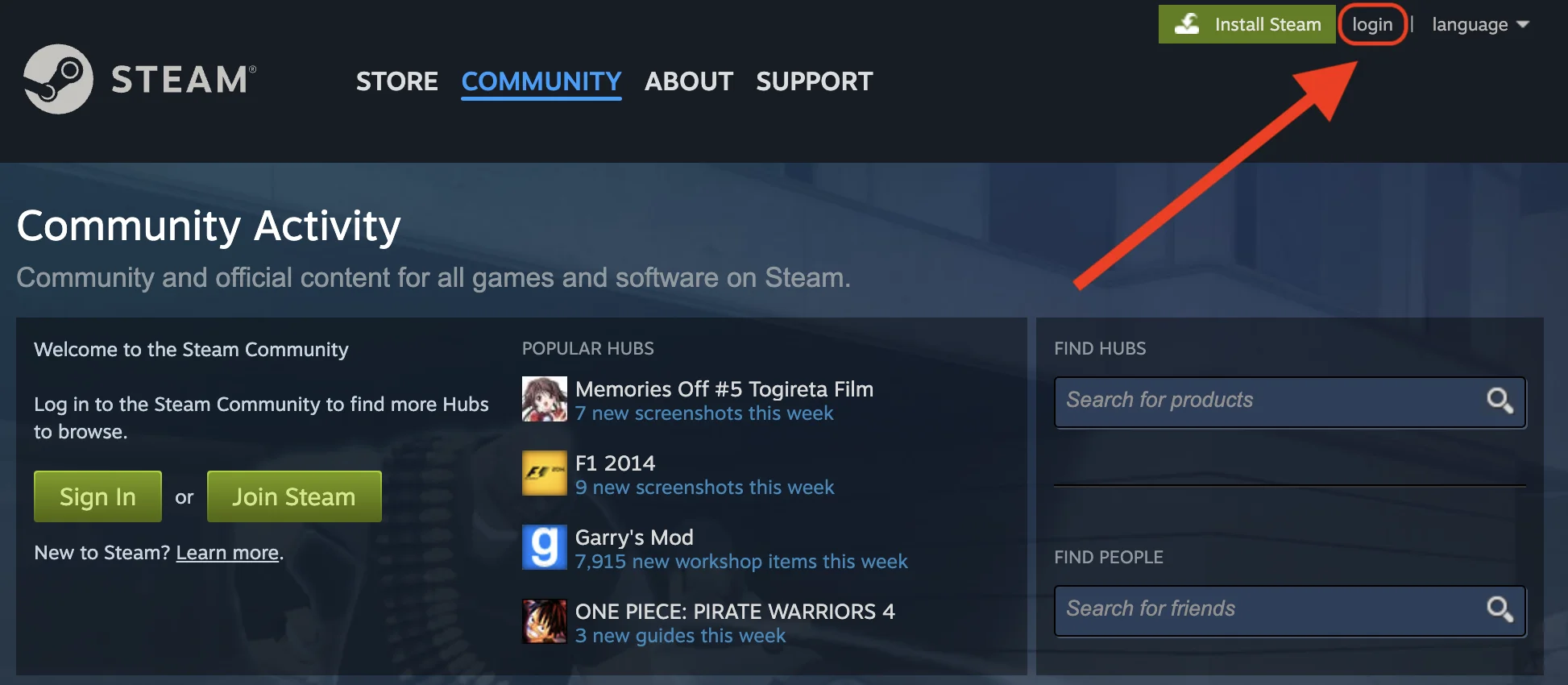
Log in to your Steam account by clicking on the "login" button:
-
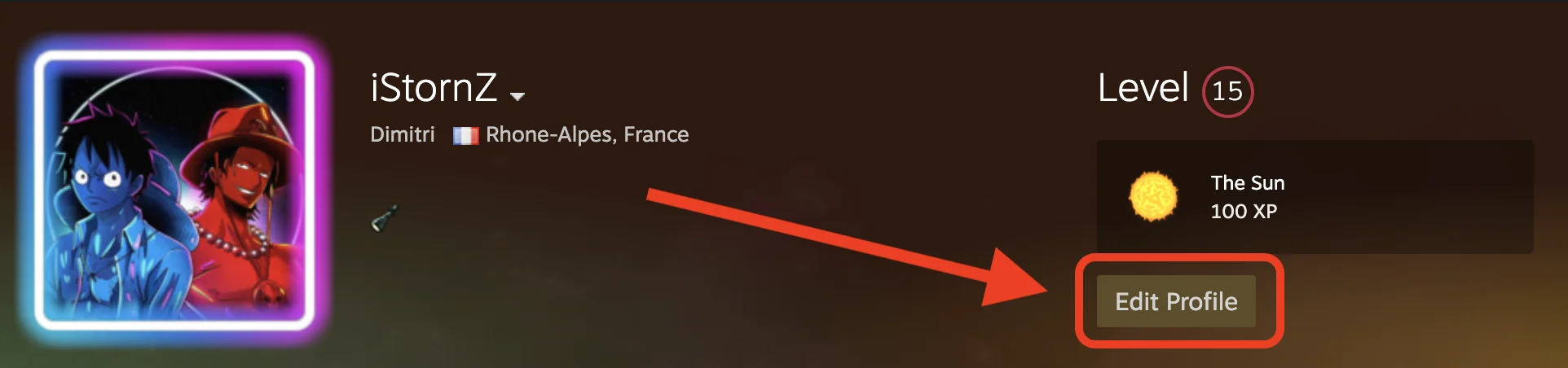
Then click on "Edit Profile"
-
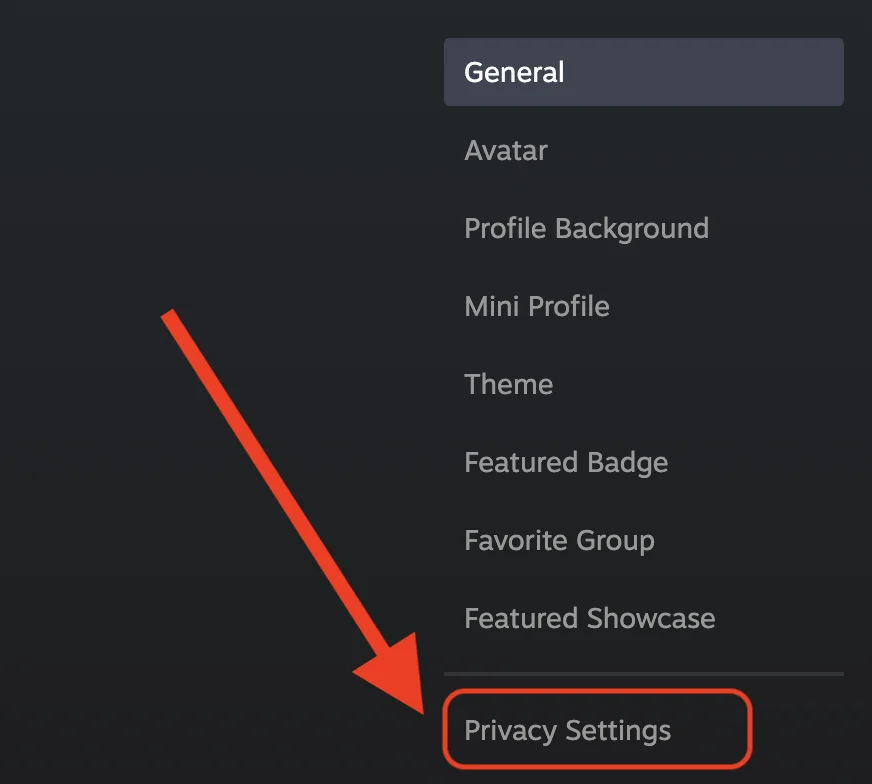
In the sidebar, click on "Privacy Settings"
-
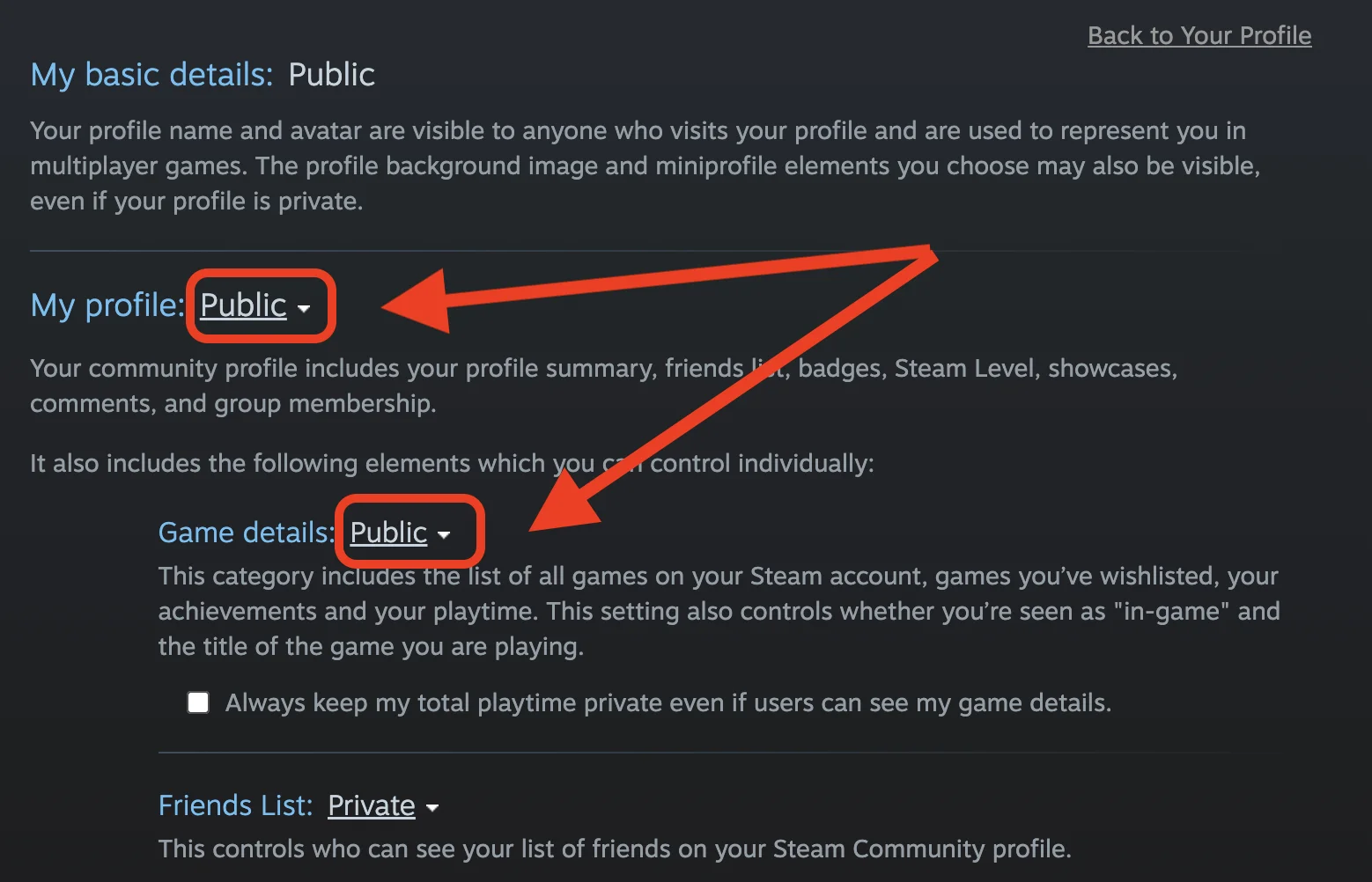
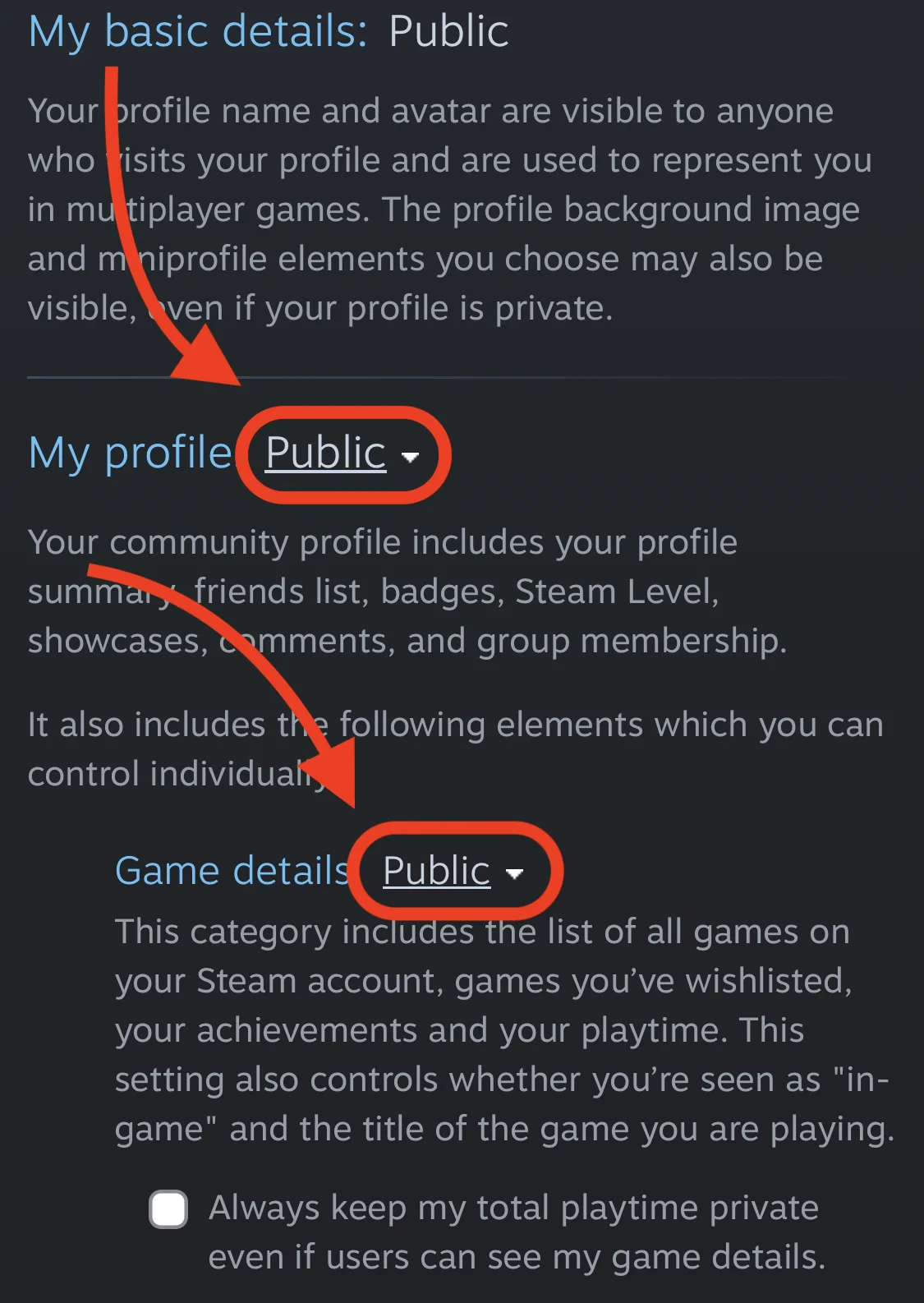
Finally, change the visibility of your profile and game library to "Public"
-
It's done 🎉 Radion should now have access to your Steam games 👍
-
Go to the website steamcommunity.com.
-
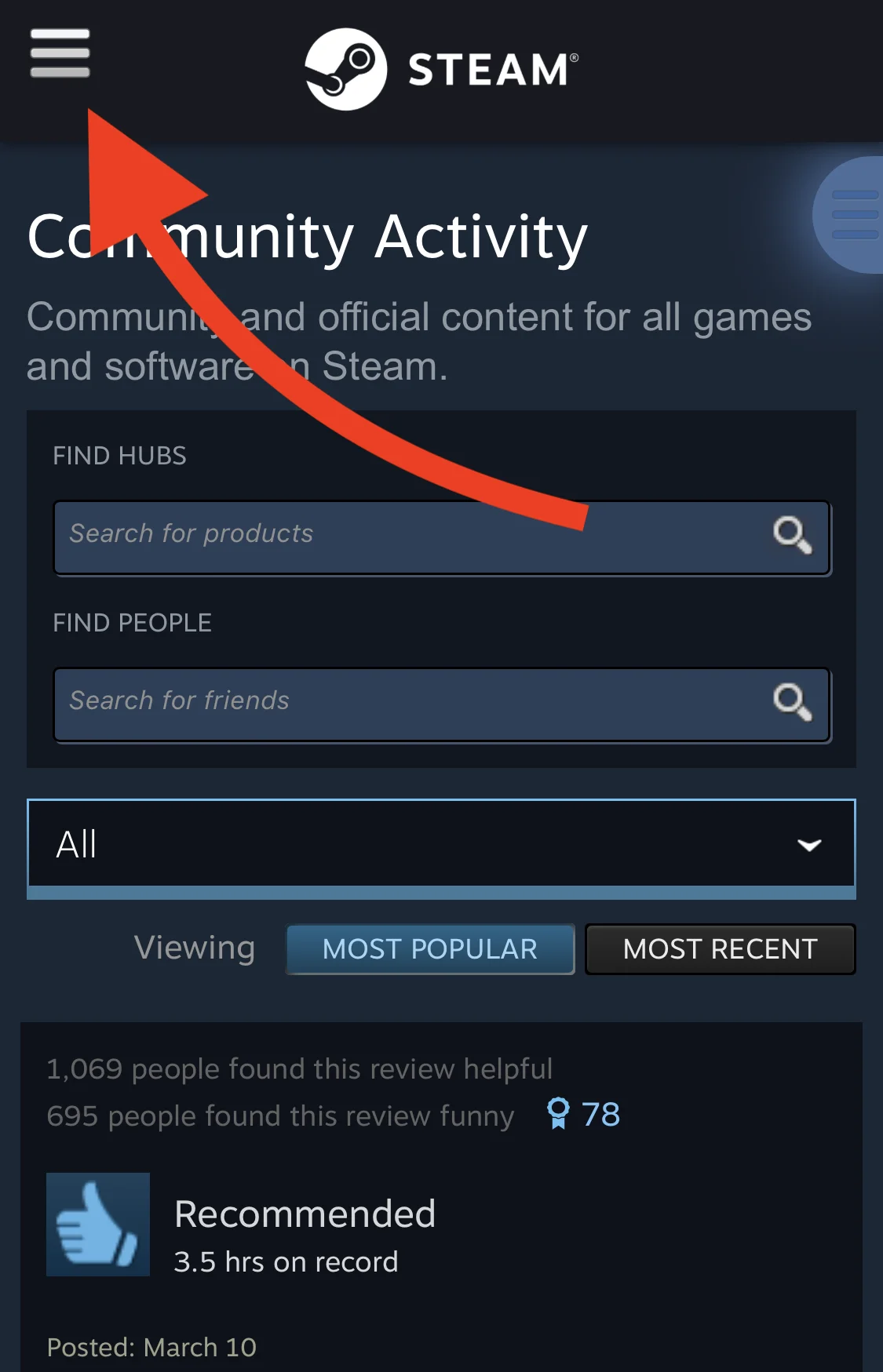
Select the menu icon at the top left of the page:
-
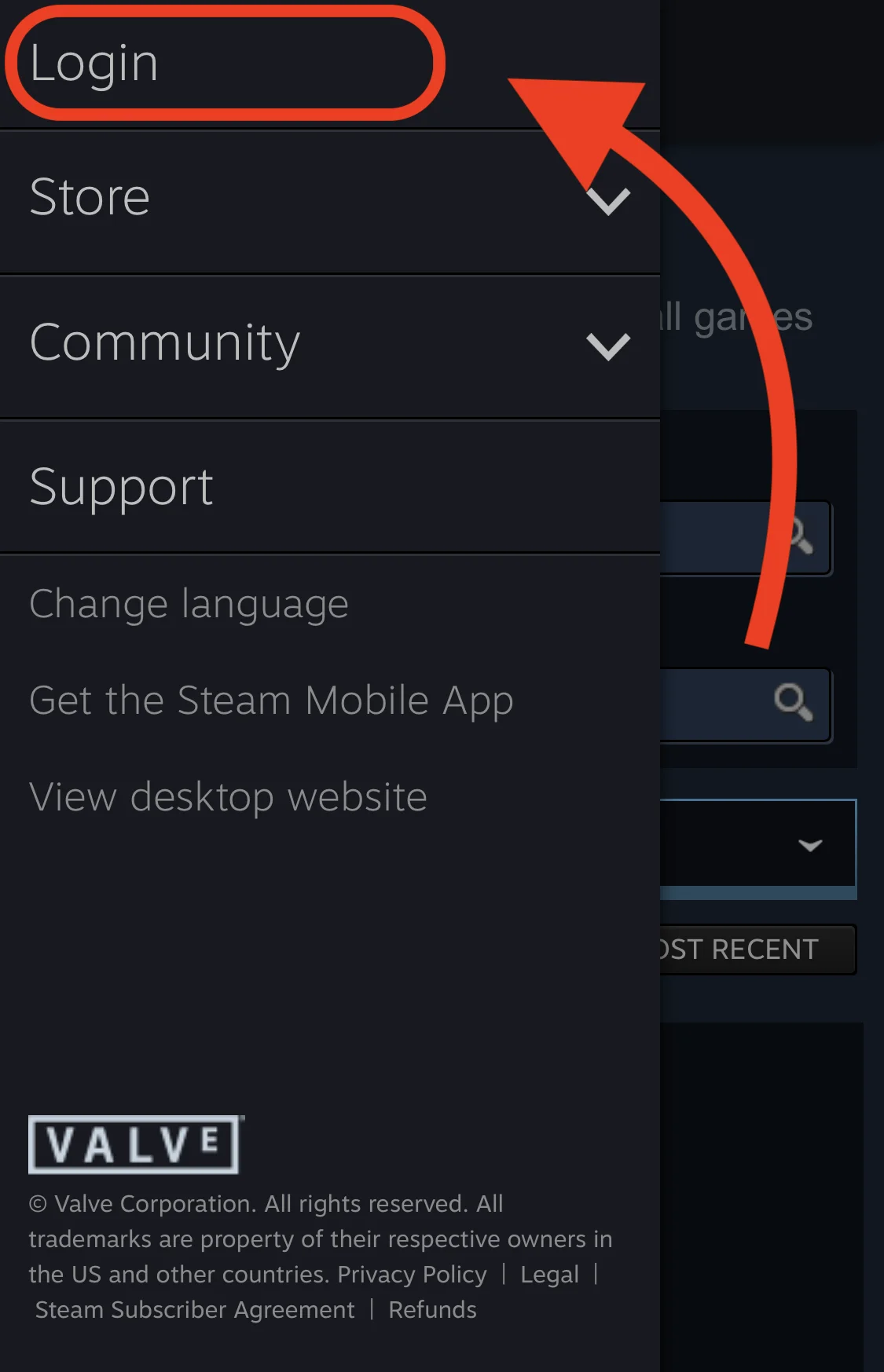
Next, tap on "Login" and log in to your Steam account.
-
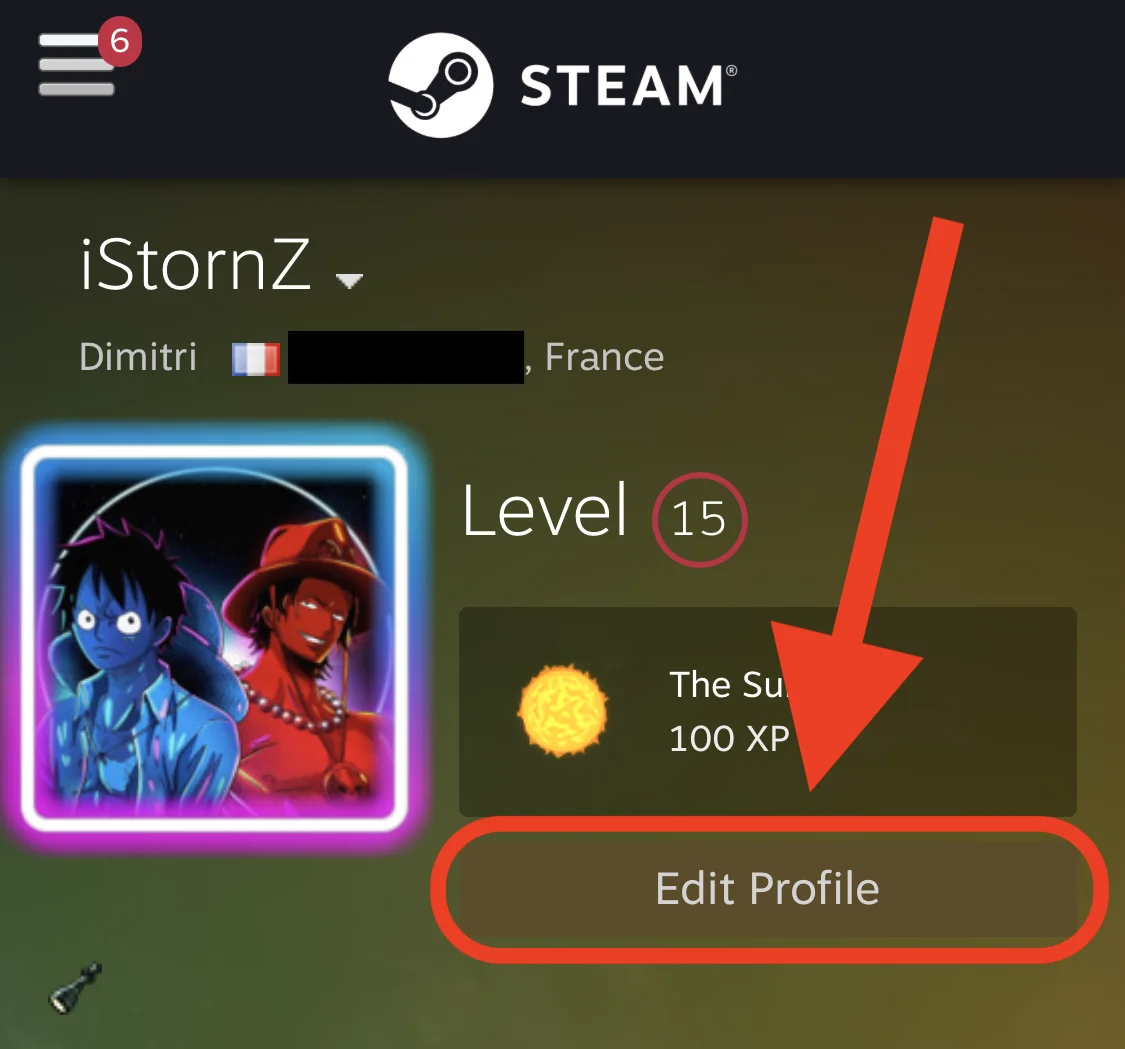
Once your profile is logged in, select "Edit Profile"
-
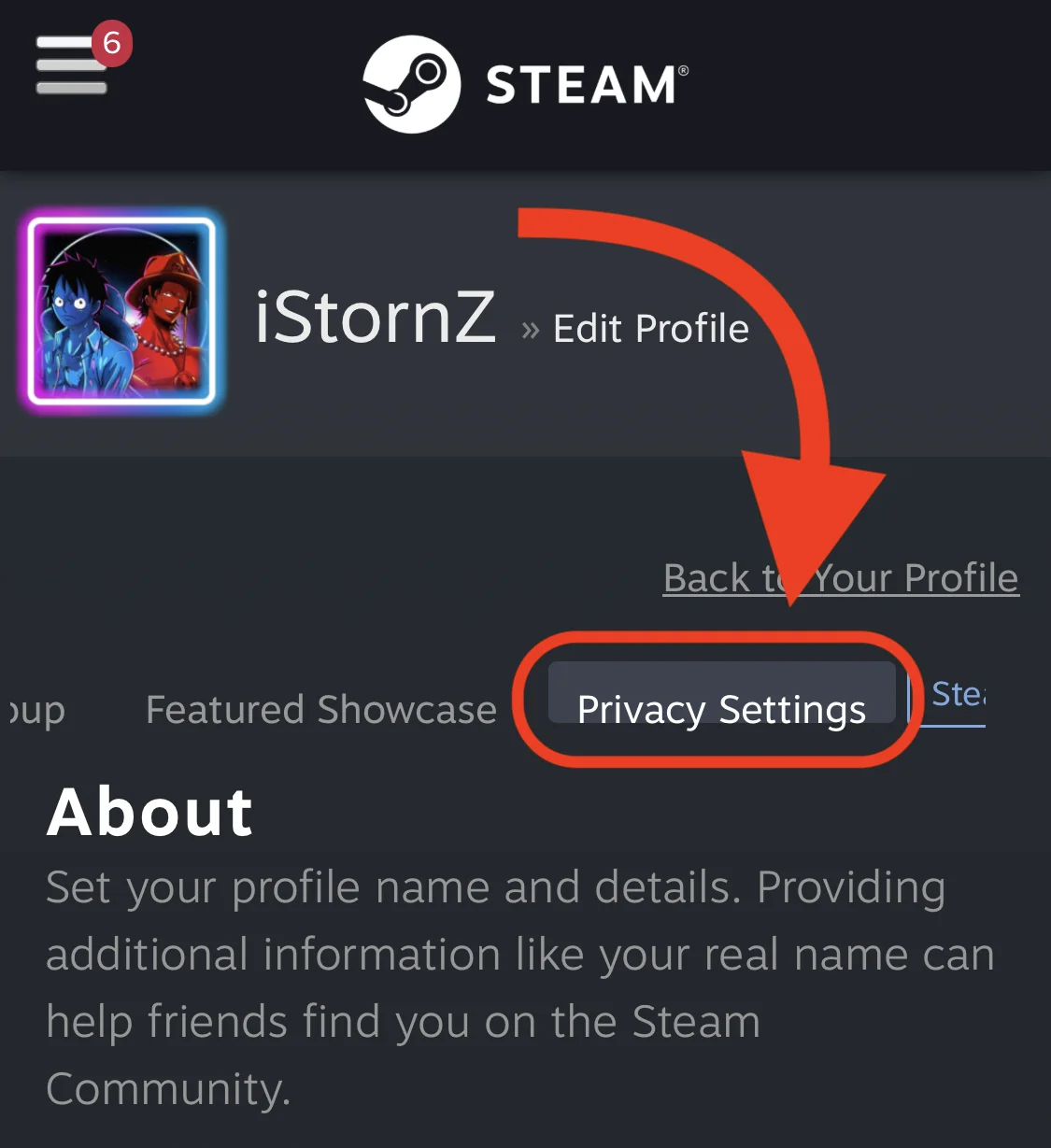
Then scroll through the options bar to select "Privacy Settings"
-
Finally change the visibility of your profile and game library to "Public"
-
It's done 🎉 Radion should now have access to your Steam games 👍